Tag Archives: maintenance light reset

Reset the Maintenance Light on Dacia Sandero

How to Reset the Maintenance Light on Dacia Sandero: A Detailed Guide

Owning a Dacia Sandero comes with the responsibility of ensuring it runs optimally. An essential aspect of this is recognizing and addressing the maintenance reminders. This guide provides instructions on resetting the maintenance light for Dacia Sandero, a crucial step after servicing your vehicle.

How to Reset the Maintenance Light on Dacia Sandero: A Detailed Guide

Step-by-Step Instructions to Reset Maintenance Light for Dacia Sandero

Turn the ignition to the “ON” position.
Firmly press and hold the throttle pedal.
Tap the brake pedal three times consecutively.
Execute all these steps within 10 seconds for them to be effective.
Should the oil change warning light remain on, simply repeat the procedure.

Maintenance Tips for Dacia Sandero Owners

  • Always utilize the recommended engine oil for your Dacia Sandero. Refer to your owner’s manual for specifics on oil type and grade.
  • Consistently monitor your tire pressure, ensuring they’re within the manufacturer’s recommended range.
  • Regularly check the brake pads. If worn out, replace them promptly for both safety and performance.

Conclusion

By following the steps above, you can confidently reset the maintenance light on your Dacia Sandero. Regular maintenance ensures your vehicle performs at its best. Always consult your owner’s manual or a Dacia specialist for any clarifications or specialized guidance.
Maintenance Oil Light Reset Honda Accord 2014

How do you reset maintenance light, reset service light indicator Honda Accord, year 2013, 2014. For reset maintenance light and that can be made manually by use button on car dash board.

Reset service light indicator, engine oil life Honda Accord, oil reset instructions:

  1. Turn the ignition on (do not start the engine).
  2. Display the engine oil life by repeatedly pressing the SELECT/RESET button.
  3. Press and hold the SELECT/RESET knob for more than 10 seconds. The engine oil life indicator and the maintenance item codes blink.
  4. Press the SELECT/RESET knob for 5 seconds or more. The displayed maintenance item codes disappear, and the engine oil life display returns to 100%.
  5. Turn the ignition off and then start the engine to verify the indicator has been reset.

For Vehicles Equipped with MID:

  1. Turn the ignition on (do not start the engine).
  2. Press the UP/DOWN buttons on the lower right of the steering wheel to select VEHICLE SETTINGS, then press the SEL/RESET button.
  3. Press the UP/DOWN buttons until MAINTENANCE RESET appears on the display, then press the SEL/RESET button. The oil life reset mode is displayed on the MID.
  4. Select RESET with the UP/DOWN buttons, then press the SEL/RESET button. The displayed maintenance items disappear and the oil life is reset to 100%.
  5. Turn the ignition off and then start the engine to verify the indicator has been reset.

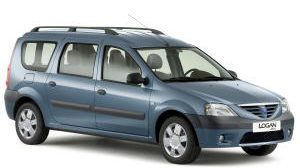
Oil reset service light indicator Dacia Logan MCV DCI.

Guide: How to Reset the Maintenance Light on Dacia Logan MCV DCI

Whether you own an older or a newer model of the Dacia Logan MCV DCI, it’s crucial to understand how to reset the maintenance light. This indicator reminds you when it’s time for service, ensuring your car remains in optimal condition. In this guide, we’ll demonstrate the manual reset process using the buttons on your dashboard.

Dacia Logan MCV DCI - Reset Maintenance Light

Steps to Reset the Oil Service Light on Dacia Logan MCV DCI

Follow these straightforward steps for both older and newer models of the Dacia Logan MCV DCI:

  1. Turn the ignition to the “ON” position.
  2. Firmly press and hold the throttle pedal.
  3. Quickly press the brake pedal three times.

Ensure you complete all steps within 10 seconds for the reset to be successful.

Upon following these steps, the oil change warning light should switch off. If it doesn’t, try the process once more to ensure you’ve followed the sequence correctly.

Additional Tips for Dacia Logan MCV DCI Owners

  • Always refer to your owner’s manual for any specific instructions related to your model year.
  • Consider setting a regular maintenance schedule even if the light hasn’t turned on to keep your vehicle in top shape.
  • If unsure about any procedures, don’t hesitate to consult with a Dacia service specialist.

Conclusion

Knowing how to reset the maintenance light on your Dacia Logan MCV DCI ensures you’re proactive about your vehicle’s health. Always prioritize regular servicing to maintain your car’s efficiency and longevity.

Reset service light indicator Seat Arosa

Reset service light indicator Seat Arosa. From year: 1997, 1998, 1999, 2000, 2001, 2002, 2003, 2004.

How to reset service light indicator Seat Arosa.

1. With the ignition switched off.
2. Push and hold the tripmeter reset button situated below the speedometer.
3. Turn the ignition on and hold the tripmeter reset button for atleast 8 sconds.
4. On board will appear “- – – -” done the service light has been reset.
5. It may not works on the first try, you must retry the procedure.

Reset service light indicator Seat Inca

Reset service light indicator Seat Inca. From year: 1996, 1997, 1998, 1999, 2000, 2001, 2002, 2003.

How to reset service light indicator Seat Inca.

1. Turn on the ignition, do not start the engine.
2. Push and holf the left hand button on the clocks.
3. With the button still pressed turn the ignition to off.
5. Release the button and you should be able to toggle between the oil, insp1 and insp2 warning light.
6. Choose the warning light that you want to reset.
7. On the right hand side of the clocks there are 2 buttons.
8. Push the bottom button with a biro and hold it until the warning light is reset.