Category Archives: Service light reset Ford

Oil reset, oil light indicator, maintenance light reset, service light reset, without using a computer for Ford

Service Light Reset indicator Ford Mondeo, Focus, Transit

Reset service light indicator, engine oil life Ford Mondeo, Focus, Transit reset instructions:

Do you own a MK4 Mondeo, New Shape Transit or MK2 face lift Focus?

Do you do your own servicing or have had it serviced and still have the oil service light on?

Here are the instructions to switch off the service light:

THIS INFORMATION IS ONLY TO BE USED AFTER YOUR VEHICLE HAS BEEN SERVICED.

Turn the ignition on (engine not running but dash lights illuminated).

Turn the ignition off.

Press down both the Accelerator (Throttle) and Brake peddles.

Turn the ignition on (engine not running but dash lights illuminated).

Keep both the Accelerator (Throttle) and Brake peddles held down for between 15 and 30 seconds.

Turn off ignition.

Release peddles.

Turn the ignition on (engine not running but dash lights illuminated).

Your service light should now be out.
Reset the oil service light 2011 Ford Fiesta

To reset the oil service light, use the following procedure:

1. With the ignition in the off position, press the brake and accelerator pedals.
2. For keyed vehicles, turn the key to the accessory position; for pushbutton start vehicles, press the Start/Stop button once quickly. Do not start the engine.
3. Press the accelerator and brake pedals fully for 20 seconds.
4. “Engine Oil Change Due Next Service” and the oil service light will display.
5. Turn the vehicle off. The message and lights will be cleared.

Normal Maintenance

Under what Ford terms “normal” conditions, oil changes will occur at a maximum of every 10,000 miles (16,000 kilometers) or 12 months. Other services to be performed at every oil change include:
• Rotate tires.
• Inspect wheels and related components for noise, wear, looseness or drag.
• Inspect brake pads, shoes, rotors, drums, brake linings, hoses and parking brake.
• Inspect engine cooling system for strength; inspect cooling system hoses.
• Inspect exhaust system and heat shields.
• Inspect half-shaft boots.
• Inspect and lubricate steering linkage, ball joints, suspension, tie-rod ends and U-joints if equipped with grease fittings.
• Inspect cabin air filter (if equipped).

Reset oil maintenance light on 2007 ford explorer

Reset service light indicator, engine oil life Ford explorer, year 2007 reset instructions:

The directions that come with your vehicle are lousy, and the process stinks to. And keep in mind that if you do not press the buttons fast enough, or hold long enough, you must start over. It usually takes a few tries. Here’s how to do it:

1.) Press the TRIP/RESET button to cycle to “SETUP MENU HOLD RESET”.
2.) Now press and hold the button for 2 seconds until “RESET FOR SYSTEM CHECK” is displayed, then release.
3.) Imediately press and hold button for 2 more seconds until “Oil 100% RESET IF NEW” is displayed, then release.
4.) Imediately press button once to display “HOLD RESET IF NEW OIL” and release.
5.) Imediately press and hold button for 2 seconds until “OIL LIFE SET TO 100%” is displayed.

If you have done this dance properly, without delaying too long between steps, you are done. What a pain in the butt just to reset the oil maintenance light!!!

Reset oil service light Ford Escape 2010

How do you reset maintenance light indicator, reset service light indicator Ford Escape, year 2010, 2011, 2012. For reset maintenance light and that can be made manually by use button on car dash board.

Reset oil service light Ford Escape 2010

  1. Turn the ignition to run (one position before starting engine).
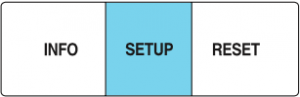
  2. Press and release the SETUP button to display “OIL LIFE XXX% HOLD RESET = NEW”.
  3. Press and hold the RESET button for two seconds and release to reset the oil life to 100% and “OIL LIFE SET TO 100%” is displayed.
  4. Turn the ignition off and then start the engine to verify the indicator has been reset


Service oil reset Ford Windstar

Reset service light indicator, engine oil life Ford Windstar, year 1997-2003 reset instructions:

1997-1998

Turn the ignition to run (one position before starting engine).
Press the RESET button for 5 seconds.
Turn the ignition off and then start the engine to verify the indicator has been reset.

1999

Turn the ignition to run (one position before starting engine).
Press the SETUP control to access the System Check function. Press RESET to start the system check function.
Press and hold the RESET control when “OIL LIFE XX% HOLD RESET NEW” is displayed.
After a successful reset, the message centre will display “OIL LIFE RESET TO 100%”.
Turn the ignition off and then start the engine to verify the indicator has been reset.

2000-2003

Turn the ignition to run (one position before starting engine).
Press the SETUP control to access the System Check function.
Press and release the RESET control to display OIL LIFE XX% HOLD RESET NEW.
Press and hold the RESET control for 2 seconds to display IF NEW OIL HOLD RESET.
Press and hold the RESET control to display OIL LIFE SET TO 100%. Your oil life is now reset.
Turn the ignition off and then start the engine to verify the indicator has been reset.